

Articles
Every article, grouped by what you are trying to work out. Written by Kim Le, CPA, CIA, top internal controls and SOX educator for growing companies.
How do I run a segregation of duties analysis?
The method, step by step, from pulling reports to recording what you decided.
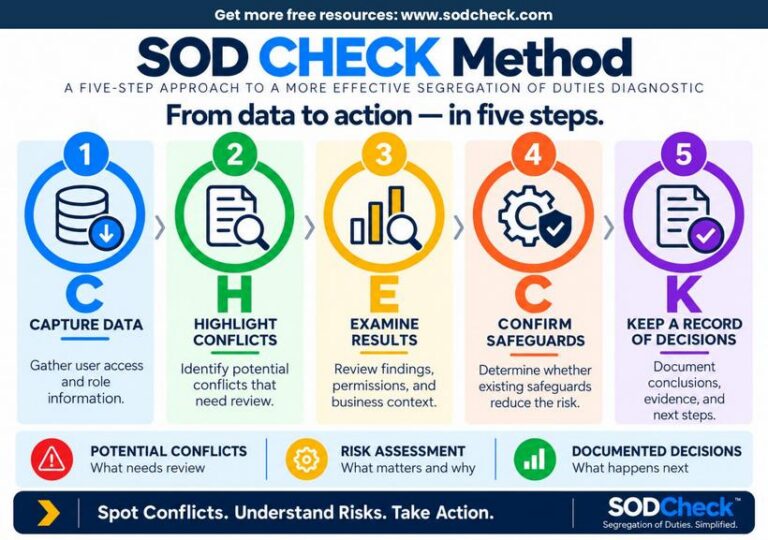
The five steps of the CHECK Method
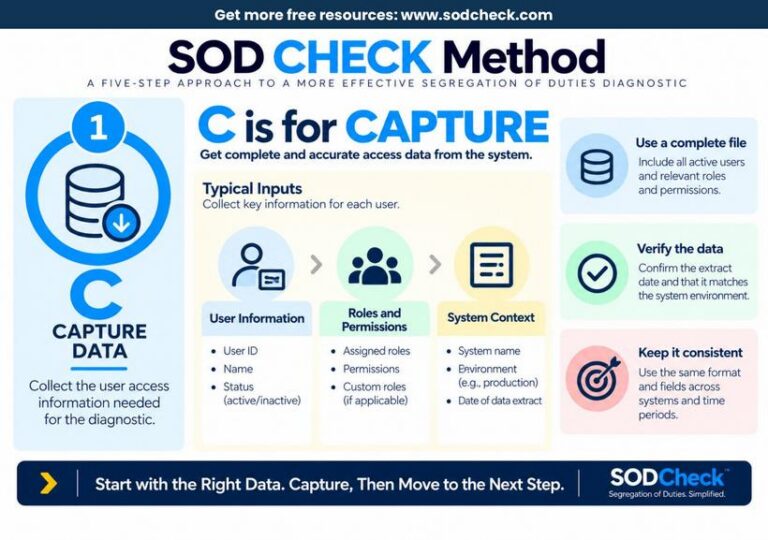
- 1.Capture DataWho has access to what, as of which date?
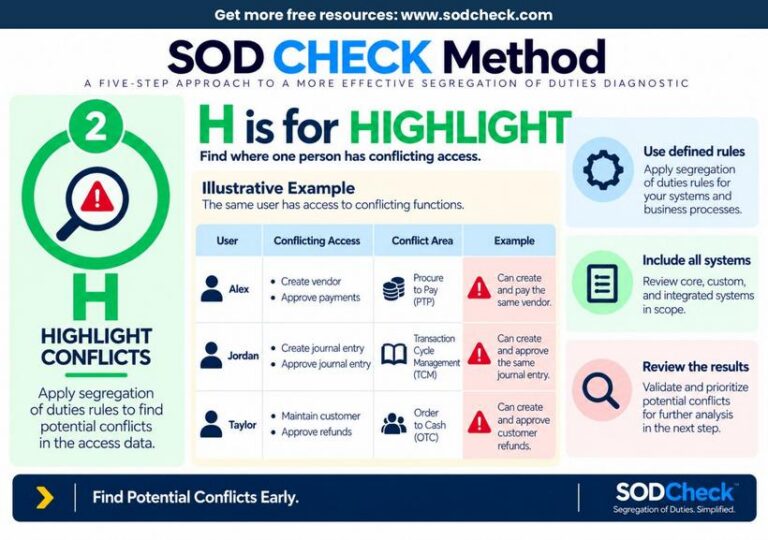
- 2.Highlight ConflictsWhere can one person do two jobs that should be separate?
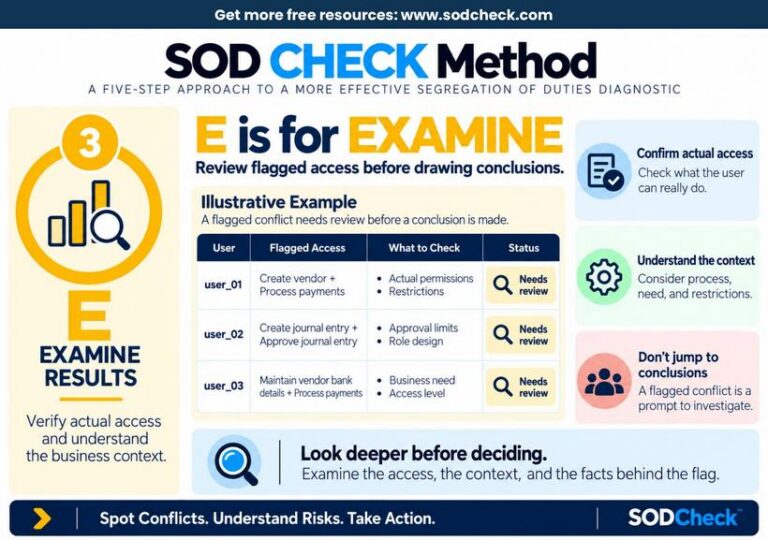
- 3.Examine ResultsWhat can each person really do?
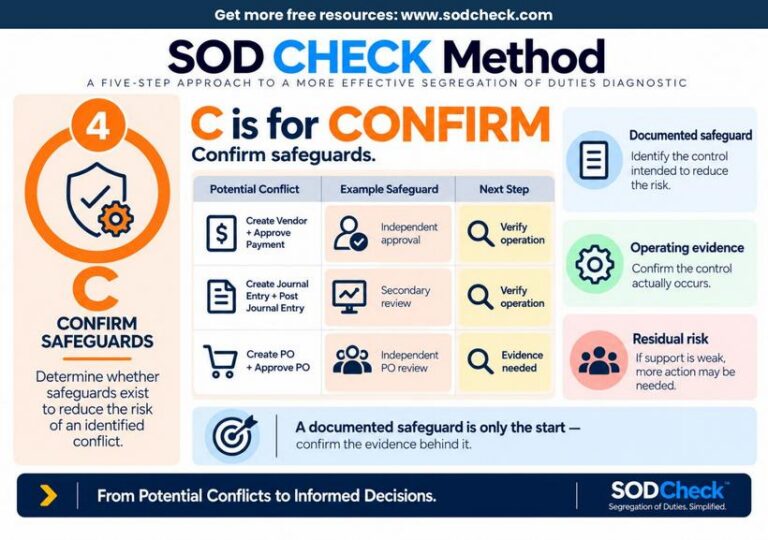
- 4.Confirm SafeguardsDoes another control cover the risk, and does it really run?
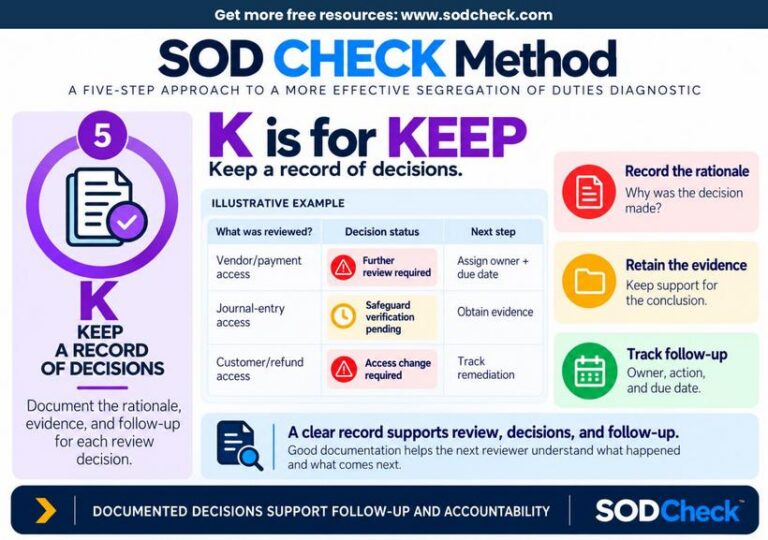
- 5.Keep a Record of DecisionsWhat did management decide, and why?
- Full methodHow Do I Run a Segregation of Duties Review?Run a segregation of duties review in five steps: Capture Data, Highlight Conflicts, Examine Results, Confirm Safeguards, Keep a Record of Decisions.
- Step 1: CaptureWhat Reports Do I Need for a Segregation of Duties Review?You need four things: a list of users and whether each account is active, the roles each user holds, the rights each role gives, and the date and system each file came from.
- Step 2: HighlightHow Do I Find Conflicting Duties in User Access?A potential conflict is a pair of access rights that lets one person do two jobs that should be split, such as adding a vendor and approving payments to that vendor.
- Step 3: ExamineHow Do I Tell Whether a Segregation of Duties Conflict Needs Action?A potential conflict is a question, not an answer, so check what the user can really do in the system, why they need that access, and what else is in place.
- Step 4: ConfirmHow Do I Know Whether a Control Reduces a Segregation of Duties Risk?A safeguard reduces a segregation of duties risk only if it fits the risk and really runs.
- Step 5: Keep a recordWhat Should I Record After a Segregation of Duties Review?After a segregation of duties review, write down what was checked, what the Controller decided, and why.
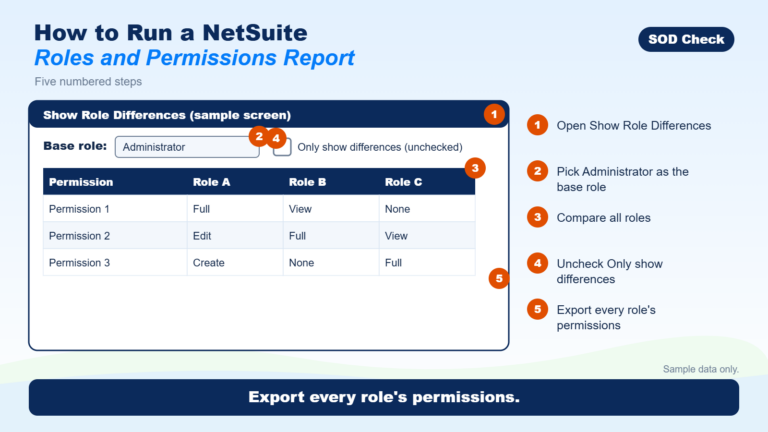
- Running the reportsHow to Run a NetSuite Roles and Permissions ReportThe NetSuite roles and permissions report shows what every role can do, compared with the Administrator role.
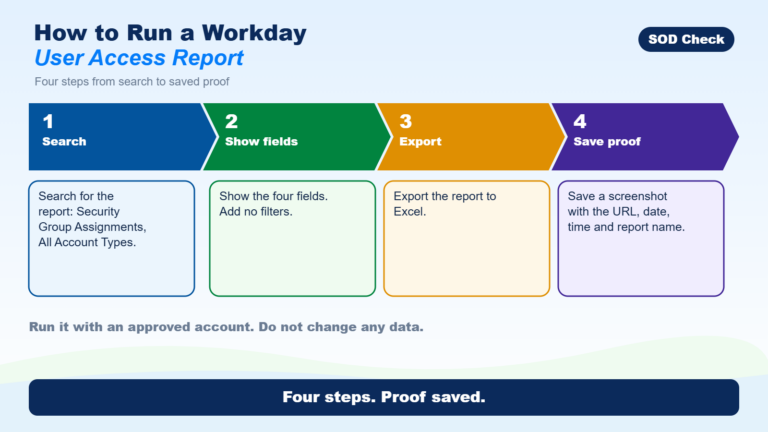
- Running the reportsHow to Run a Workday User Access ReportWorkday can list who belongs to which security group in a report called Security Group Assignments – All Account Types.
Do it Yourself: How do I prepare a NetSuite segregation of duties analysis on my own?
The full series, in order. Each part picks up where the last one left off.
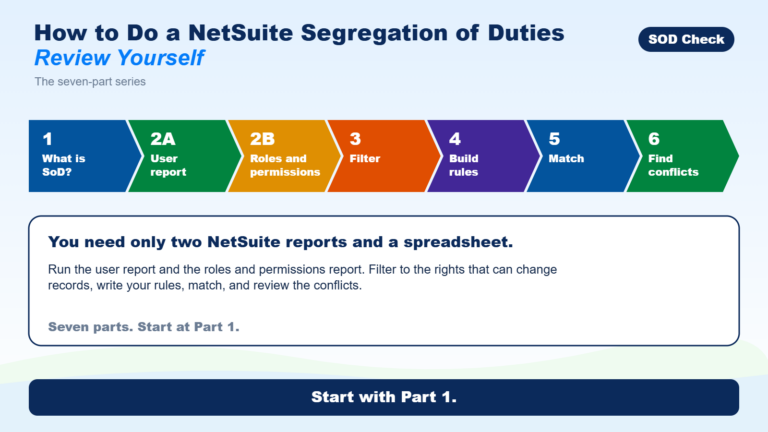
- Start hereHow to Do a NetSuite Segregation of Duties Review YourselfRun two NetSuite reports, filter the permissions, write a few rules, match them, then look for people who hold both sides of a rule.
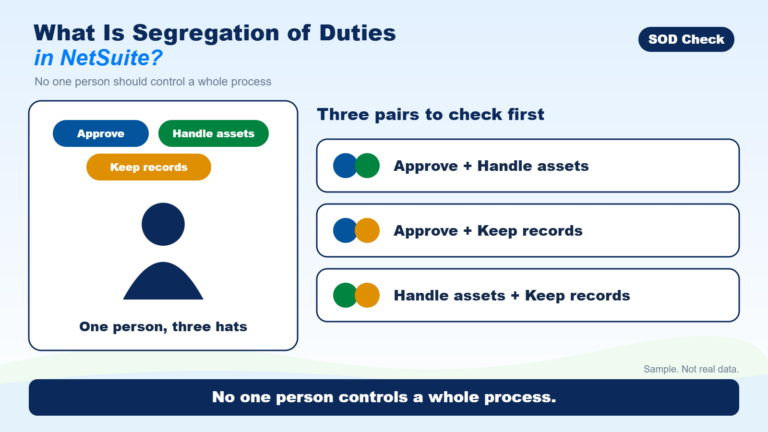
- Part 1What Is Segregation of Duties in NetSuite?Segregation of duties means no one person controls a whole process from start to finish.
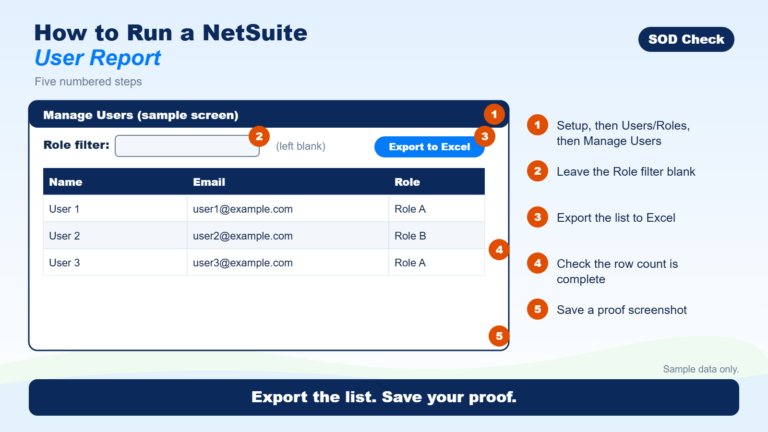
- Part 2How to Run a NetSuite User ReportTo run a NetSuite user report, go to Setup, then Users/Roles, then Manage Users, leave the Role filter blank and export to Excel.
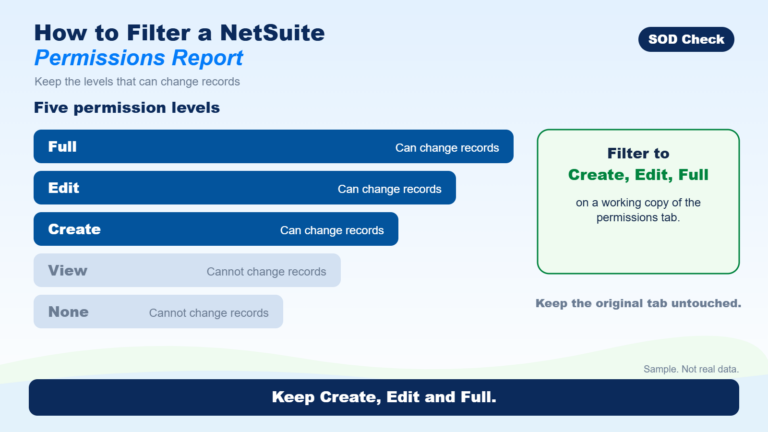
- Part 3How to Filter a NetSuite Permissions ReportExport the permission data to Excel and copy it to a new tab, then filter the copy to Create, Edit and Full for the example rules in this series.
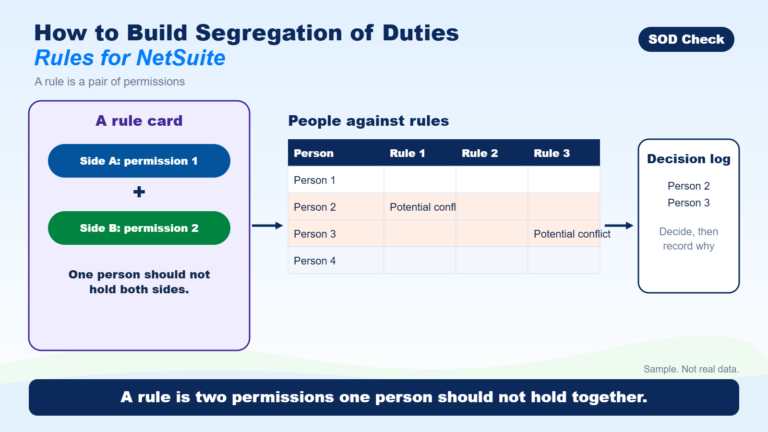
- Part 4How to Build Segregation of Duties Rules for NetSuiteA segregation of duties rule is a pair of permissions that one person should not hold together.
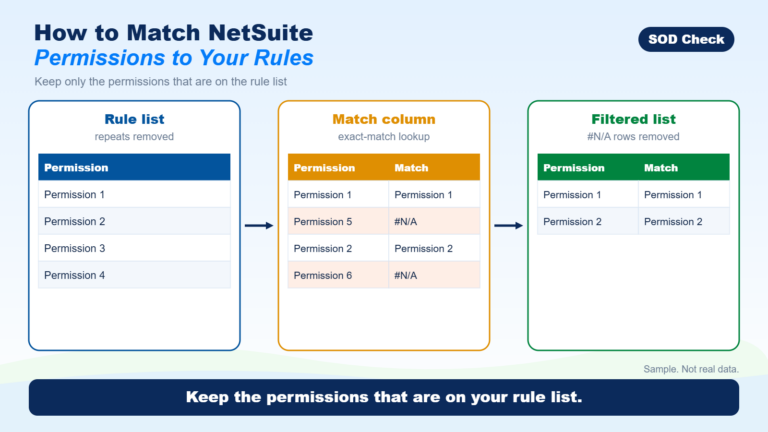
- Part 5How to Match NetSuite Permissions to Your RulesList the permissions your rules use, look up each person’s permissions against that list with an exact match in Excel, and keep only Create, Edit and Full for these example rules.
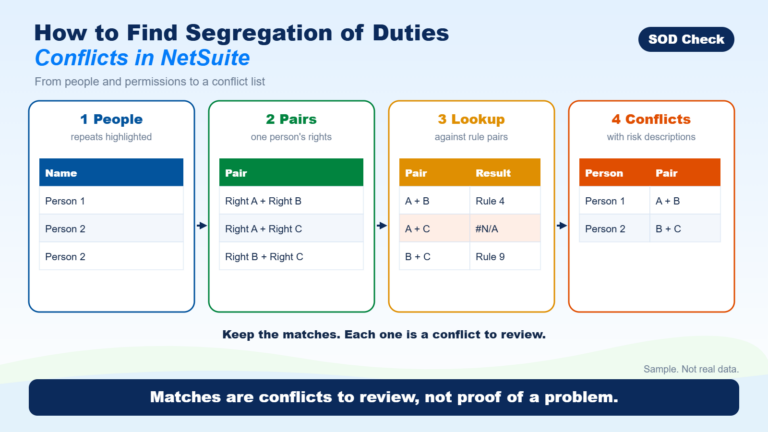
- Part 6How to Find Segregation of Duties Conflicts in NetSuiteList every pair of permissions each person holds and check each pair against your rule list; a pair that matches a rule is a conflict to review, not proof of a problem.
What does this look like in real situations?
Everyday situations in finance teams, and what to do about them.
Where conflicting access usually shows up
- VendorsOne person could create a vendor that should not exist, or change a real vendor’s bank details, and approve the payment.
- PurchasingOne person could create the wrong purchase and approve it.
- PayrollOne person could change an employee’s pay details and approve that payroll.
- AccountingOne person could create or change a journal entry and approve or post it.
- Administrator accessRights given for one project could still be in place, with no check on changes to users, permissions or settings.
- Can a CFO Post Journal Entries Without Independent Review?
 A CFO may be allowed to post journal entries, but rank does not replace review.
- Can an HR Manager Change Employee Pay Without Approval?
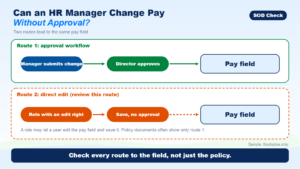 In some HR systems, a person can change pay without approval, because an approval step often covers only one route to the pay field.
- Can One Person Create a Vendor and Prepare Its Payment?
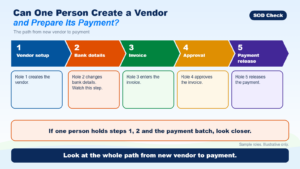 Often the system allows it, and that is a segregation of duties question that deserves a look.
- What If One Accountant Handles the Whole Payment Process?
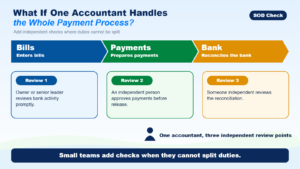 That combination deserves a segregation-of-duties review, but it does not prove a loss or control failure.
- Who Approves Timesheets When a Manager Misses the Deadline?
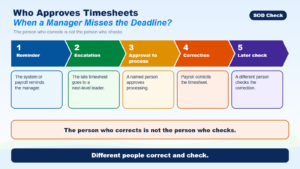 Payroll needs a plan before the deadline passes that names who can approve late time, who can fix it, and who checks the fix.
Still have a question?
Short answers to what we are asked most are on the FAQ. To weigh your options, see compare your options.